An Online Stopwatch for Tracking Real Work Time, Not Desk Time
Time at your desk and time actually spent on a task aren't the same number. A stopwatch that only counts while you're running it closes that gap without any app or account.
Time spent at a desk and time actually spent on a task aren't the same number, and the gap between them is usually bigger than it feels in the moment. A stopwatch closes that gap in a simple way: it only counts while you're actually running it.
Pause the moment you stop, not the moment you notice
Start it when you actually begin the task, and hit Pause the second you stop — a message, a coffee, someone at your desk. The elapsed time stays exactly where you left it; pressing Start again resumes counting from there instead of restarting, so the final number is genuine time on the task, not the time between sitting down and standing up.
Laps mark task switches, not just splits
Laps are usually sold as a running or workout feature, but the same button works for a work session: tap it whenever you switch from one task to another instead of at a fixed interval. Each entry keeps its own split — the time since the last lap — alongside the running total, newest at the top, so at the end of a block you have an ordered record of what actually took the time, not just a single number for the whole stretch.
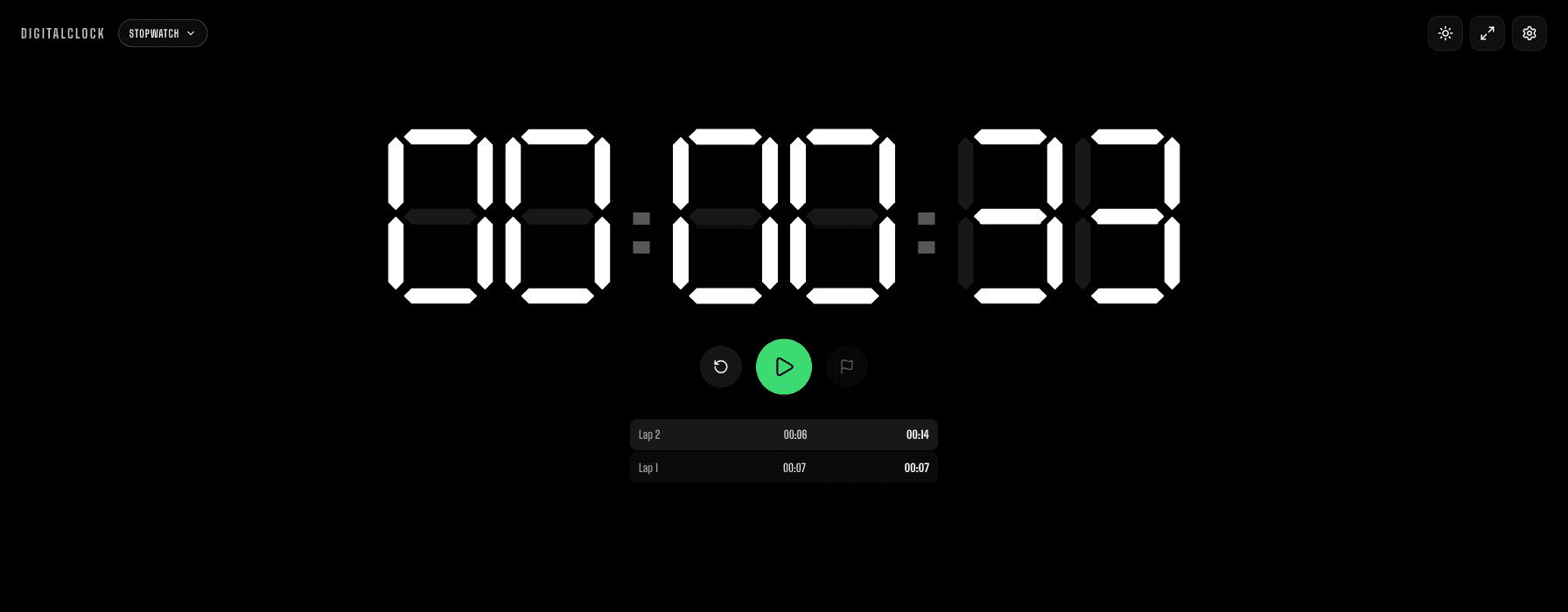
One honest limit: it only remembers this session
There's no account and nothing saved between visits — close the tab or reload the page and the elapsed time and every lap are gone. That's fine for a single session, but it means this isn't a daily log: if you want a full day's total, pause and resume inside the same tab rather than resetting between blocks, and write the final number down yourself if you want to compare it to another day.
For a long stretch, turn on Keep Screen On in Settings so the display doesn't dim mid-session, and go fullscreen if it's sitting on a second monitor you want to glance at without any browser chrome around it.